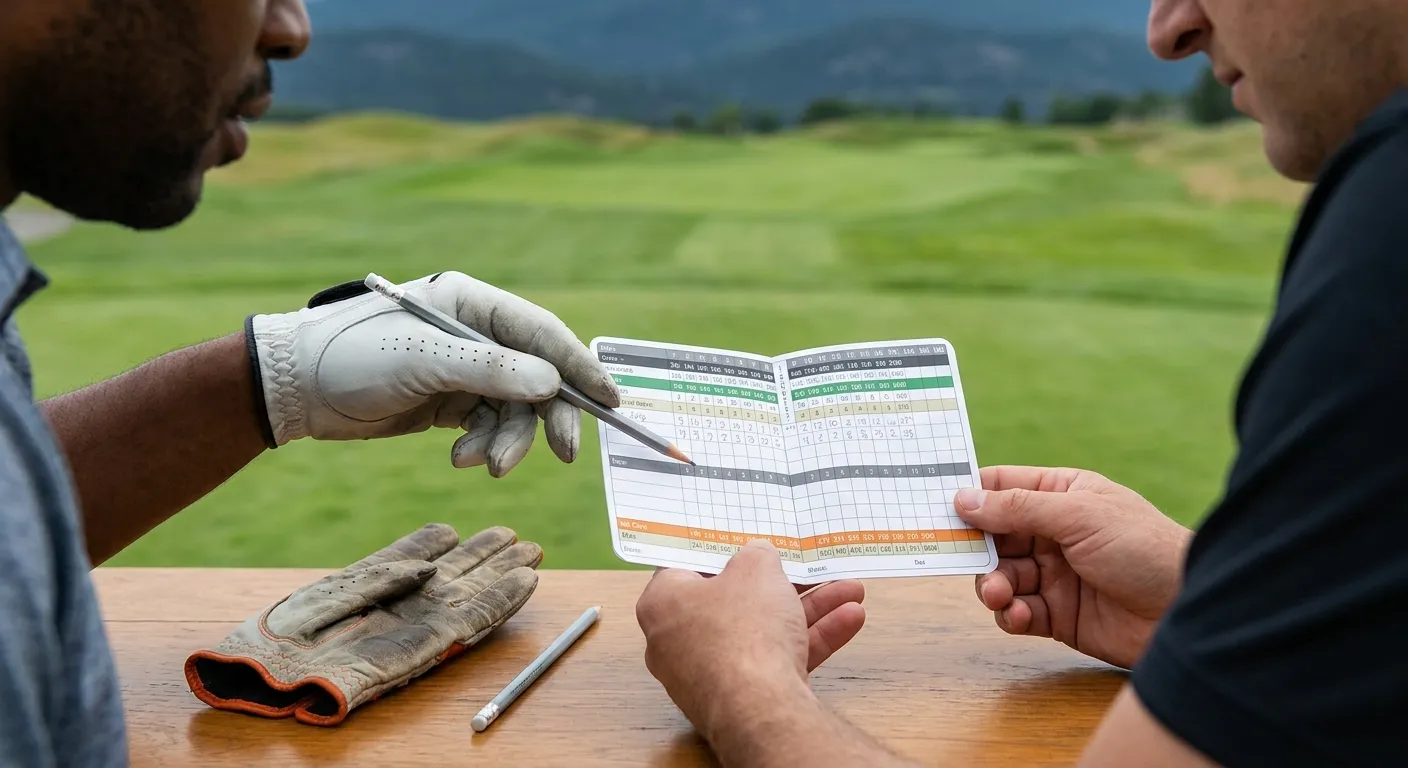
For many beginner golfers, the scorecard can seem like a confusing jumble of numbers and abbreviations. However, learning how to read a golf scorecard is a fundamental skill that not only helps you track your progress but also enhances your understanding of the game. It’s more than just recording strokes; it’s a map of the course and a record of your performance. Consequently, mastering this skill is essential for every golfer.
The Anatomy of a Golf Scorecard: What’s Where?
Before you even step onto the first tee, it’s beneficial to take a moment to familiarize yourself with the layout of a typical golf scorecard. Generally, the top section provides basic course information. This includes the course name, the date of your round, and sometimes even the weather conditions. Furthermore, you might find details about the course’s rating and slope, which are crucial for calculating handicaps. Each hole on the course will have its own dedicated row or column, clearly labeled with the hole number. Understanding these initial elements helps set the stage for accurate scorekeeping.
Decoding Key Terms: Par, Handicap, and Strokes
As you examine the scorecard, several key terms will stand out. First, ‘Par’ represents the expected number of strokes a skilled golfer should take to complete a particular hole. For instance, a par-3 hole means a proficient golfer aims to finish it in three strokes. Secondly, ‘Handicap’ (often abbreviated as ‘Hcp’ or ‘Hdcp’) indicates the difficulty of each hole relative to others on the course. Hole 1 is typically the hardest, while hole 18 is the easiest. This difficulty ranking is vital for net scoring and handicapping systems, ensuring fair competition among players of different skill levels. Lastly, ‘Strokes’ is where you’ll record the actual number of shots you take on that specific hole. This is your raw score for each individual hole. Knowing these terms is the first step to properly interpreting your round.
Understanding Different Tee Boxes and Their Impact
Most golf courses offer multiple tee boxes, often color-coded (e.g., black, blue, white, red, yellow). Each set of tees corresponds to a different total length for the course. For example, championship tees (often black or blue) make the course longer and more challenging, while forward tees (red or yellow) shorten the course, making it more approachable for beginners or seniors. The scorecard will usually list the yardage for each hole from each respective tee box. Therefore, before you begin, it’s important to select the appropriate tees for your skill level. This choice directly impacts the par and overall difficulty of your round. Consequently, always check the yardage column that matches the tees you are playing from.
Tracking Your Performance: Beyond Just Strokes
Once you start playing, the scorecard becomes your personal record-keeper. As you complete each hole, you’ll diligently record your gross score – the total number of strokes from your first shot on the tee to holing out. However, many scorecards offer more than just a place to log your total strokes. They include additional columns designed to help you track vital statistics. These statistics provide deeper insights into your game, helping you identify areas for improvement. For instance, knowing how many putts you take per hole can highlight putting as a strength or weakness. Furthermore, tracking these details can be a great motivator to refine specific aspects of your play.
Fairway Hit, Greens in Regulation (GIR), and Putts
While not mandatory for basic scorekeeping, tracking additional stats like ‘Fairway Hit’, ‘Greens in Regulation’ (GIR), and ‘Putts’ can be incredibly beneficial. ‘Fairway Hit’ simply means your tee shot landed in the fairway on a par 4 or par 5 hole. ‘Greens in Regulation’ refers to hitting the green in a specified number of strokes (e.g., one stroke on a par 3, two strokes on a par 4, three strokes on a par 5). A high GIR percentage indicates strong approach play. Meanwhile, ‘Putts’ is, of course, the number of putts you took on that green. Consistently tracking these metrics allows you to pinpoint strengths and weaknesses. For example, if your GIR is low, you might focus on your iron play. Conversely, if your putts per round are high, perhaps a focus on your putting setup would be beneficial. These insights are crucial for targeted practice and real improvement. Additionally, considering effective golf practice drills can further sharpen these skills.
Keeping Score for Your Group
When playing with others, scorecards often include multiple columns for different players. This makes it easy to keep track of everyone’s performance throughout the round. Typically, you’ll assign a column to each player and record their individual scores hole by hole. It’s common practice for one person to be the designated scorekeeper for the entire group, or for players to double-check each other’s scores at the end of each hole. This ensures accuracy and fair play. Moreover, it adds a friendly competitive element to the game. Always confirm scores before moving to the next hole to avoid discrepancies later on. This practice is part of good golf etiquette. To enhance your game further, consider exploring golf course management strategies.
The Grand Total: Calculating Your Final Score
After navigating all 18 holes, the final step is to calculate your total score. The scorecard usually provides clear sections for this, making the process straightforward. This final tally gives you a complete picture of your performance for the round. Understanding how these totals are derived is essential for evaluating your game and comparing it to previous rounds. Furthermore, it’s the number you’ll use for handicapping purposes.
Front 9, Back 9, and Total Gross Score
Most scorecards divide the course into two halves: the ‘Front 9’ (holes 1-9) and the ‘Back 9’ (holes 10-18). To calculate your ‘Front 9’ total, simply sum up all your individual hole scores from hole 1 through hole 9. Similarly, for your ‘Back 9’ total, add up your scores from hole 10 through hole 18. Finally, to determine your ‘Total’ gross score for the entire round, add your ‘Front 9’ total to your ‘Back 9’ total. This cumulative score represents the raw number of strokes you took to complete the course. For example, if you scored 45 on the front nine and 48 on the back nine, your total gross score would be 93. This method provides a clear breakdown of your performance across both halves of the course.
Understanding Net Score and Handicap Allowance
Beyond the gross score, many scorecards include a section to calculate your ‘Net Score’. This is particularly important for competitive play and for golfers with an official handicap. Your personal handicap allowance is applied to your gross score to arrive at your net score. The World Handicap System (WHS) provides guidelines for calculating your handicap and how to apply it to a specific course. Essentially, your handicap allowance is subtracted from your gross score, leveling the playing field for golfers of varying abilities. For instance, if your gross score was 90 and your course handicap allowance is 18, your net score would be 72. This system allows golfers of all skill levels to compete fairly against each other. Learning how to properly apply your handicap is a key part of understanding how to read a golf scorecard in a competitive context. You can find more information about the World Handicap System on the official R&A website: https://www.randa.org/. Additionally, the USGA website offers valuable resources on handicapping: https://www.usga.org/.
Advanced Scorecard Insights: Beyond Basic Tracking
While tracking basic strokes and totals is fundamental, a golf scorecard can offer much more. Many players use it as a tool for deeper analysis of their game. By adding extra notes or symbols, you can gain valuable insights that help you refine your strategy and improve your performance. This proactive approach turns a simple scoring document into a powerful analytical instrument. Furthermore, consistent detailed tracking helps you identify trends over time. For example, you might discover that you consistently struggle on certain types of holes. This knowledge then allows you to tailor your practice sessions more effectively.
Using the Scorecard for Course Strategy
A smart golfer uses the scorecard not just for recording but also for planning. Before your round, review the scorecard to note yardages, par, and handicap ratings for each hole. This helps you develop a course management strategy. For instance, knowing a hole’s handicap rating is high might suggest a more conservative approach off the tee. Similarly, understanding the yardage for a par 5 can inform your decision on whether to attempt to reach the green in two shots or play it as a three-shot hole. During your round, you can also jot down notes about specific shots. Perhaps you hit a great drive on a particular hole, or you struggled with a certain bunker. These notes can be invaluable when reflecting on your performance later. They help you remember key moments and learn from them. Consequently, the scorecard transforms into a strategic planning document.
Tracking Personal Milestones and Progress
Your scorecard is also a fantastic record of your golfing journey. Over time, collecting your scorecards allows you to visually track your progress. You can see how your scores improve, how your GIR percentage changes, or how your putting statistics evolve. For example, achieving a personal best score on a particular course is a significant milestone that you can proudly record. Similarly, noticing a consistent improvement in your ability to hit fairways can be incredibly motivating. This tangible evidence of progress reinforces positive habits and encourages continued effort. Therefore, don’t just throw away your old scorecards; they are valuable artifacts of your development as a golfer. They tell a story of effort and improvement. Moreover, celebrating these small victories can significantly boost your confidence on the course.
What About Digital Scorecards?
In the modern era, many golfers opt for digital scorecards via apps or golf GPS devices. These digital tools often automatically calculate totals, track additional statistics, and even provide aerial views of the course. While convenient, the principles of understanding how to read a golf scorecard remain the same. Whether you’re using a physical card or a digital interface, you’ll still encounter terms like par, handicap, and gross strokes. Digital scorecards can offer advanced analytics, such as shot tracking and detailed performance breakdowns, which can be highly beneficial for serious improvement. For those interested in leveraging technology, exploring options like golf swing analysis tools or golf GPS and rangefinders can further enhance your game tracking. However, it’s always a good idea to know how to use a traditional paper scorecard as a backup, or simply to appreciate the game’s traditions.
Conclusion: Master Your Game, One Scorecard at a Time
Mastering how to read a golf scorecard empowers you to take control of your game, understand course strategy, and track your development as a golfer. It demystifies the numbers and abbreviations, transforming them into a clear narrative of your round. By understanding par, handicap, and the various tracking options, you gain a deeper appreciation for the nuances of golf. Don’t let those numbers intimidate you any longer! Instead, embrace the scorecard as an essential tool for improvement and enjoyment. With this knowledge, you’re not just playing golf; you’re actively managing and refining your game. Remember, every stroke recorded is a step towards becoming a more informed and skilled golfer. Furthermore, consistent practice and diligent scorekeeping will undoubtedly lead to lower scores and more satisfying rounds.
FAQ
What is the difference between gross score and net score on a golf scorecard?
The gross score is the total number of strokes you actually take to complete a round of golf. Conversely, the net score is your gross score minus your handicap allowance. The net score helps to equalize competition between players of different skill levels, allowing everyone to compete fairly.
How do I use the handicap column on a golf scorecard?
The handicap column indicates the difficulty of each hole, typically ranked from 1 (hardest) to 18 (easiest). This ranking is used in conjunction with your personal handicap to determine where you receive handicap strokes during a round. For example, if your handicap allowance is 5, you would subtract one stroke from your gross score on the five hardest holes.
What does GIR mean on a golf scorecard?
GIR stands for ‘Greens in Regulation’. This refers to hitting the green in a specified number of strokes for a given hole’s par. For a par 3, it’s hitting the green in 1 shot; for a par 4, in 2 shots; and for a par 5, in 3 shots. Tracking GIR helps assess your approach shot accuracy.
Should I track stats like fairways hit and putts?
Yes, tracking stats like fairways hit and putts can provide valuable insights into your game. They help you identify strengths and weaknesses, allowing you to focus your practice more effectively. For instance, if you’re missing many fairways, you might need to work on your tee shots. If your putts per round are high, perhaps your short game needs attention. This detailed tracking enhances your understanding of your own performance.
Are digital scorecards as good as traditional ones?
Digital scorecards offer convenience and often provide automated calculations and advanced analytics. They can be very effective for tracking your game and gaining deep insights. However, the fundamental principles of understanding your scores and course information remain the same whether you use a digital app or a traditional paper scorecard. Many golfers use a combination of both.