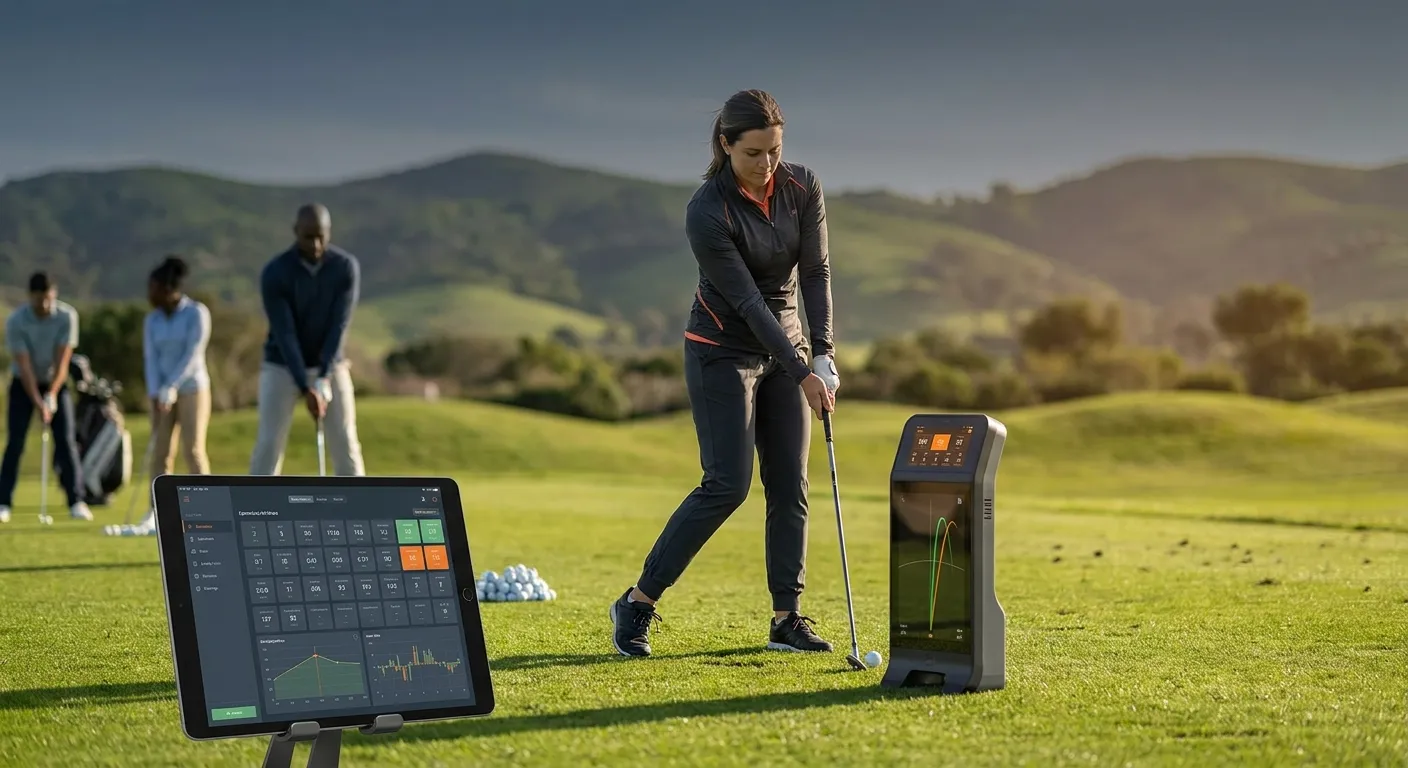
For beginner and intermediate golfers looking to truly elevate their game, simply hitting balls at the range often isn’t enough. The golf media and education industry is seeing a significant transformation, with technology playing a crucial role in improving techniques. This is where personal launch monitors come in – they’re no longer just for the pros. Understanding how launch monitors boost practice for intermediates can turn your undirected sessions into smart, targeted improvement that builds confidence and consistency.
At Golf Luxor, we believe in straightforward, fluff-free advice to help you improve at your own pace. Let’s explore how these powerful gadgets can provide actionable insights, making your practice more effective and your progress tangible, aligning with the industry’s shift towards technology-driven improvement.
Why Traditional Practice Falls Short (Sometimes)
Without immediate feedback, it’s hard to know why a shot went wrong. Did you slice it because of your clubface angle, or your swing path? Was that short drive due to low launch or too much spin? Traditional range sessions often rely on guesswork and feel, which can be inconsistent. This lack of clear data can contribute to the “retention gap,” where players get frustrated and don’t return. Launch monitors bridge this gap by offering objective data.
The Data You Need: Key Metrics Explained
Modern launch monitors, ranging from portable units to more advanced setups, capture a wealth of information that was once only available in high-tech fitting bays. Here are the key metrics that will help intermediate golfers:
- Ball Speed: How fast the ball is traveling immediately after impact. A higher ball speed, relative to your swing speed, indicates efficient energy transfer.
- Launch Angle: The angle at which the ball leaves the clubface. Too low, and you won’t get enough carry; too high, and you might balloon the ball.
- Spin Rate: How much the ball is spinning (backspin, sidespin). Optimal spin is crucial for maximizing distance and controlling trajectory. Too much backspin can rob you of distance, while too little can make the ball ‘knuckle’ through the air.
- Carry Distance: The distance the ball travels in the air before landing. This is often the most important metric for course management.
- Club Path & Face Angle (on advanced models): These directly tell you the direction your club was moving and where the clubface was pointed at impact, which are fundamental to understanding hooks, slices, and pushes.
By understanding these numbers, you move beyond just seeing what happened to understanding why it happened. This enables truly smart, targeted practice sessions. Consequently, you will see your game improve more quickly.
Integrating Launch Monitors into Your Practice Routine
1. Baseline Your Performance
Start by hitting 10-20 shots with each club (driver, 7-iron, pitching wedge) and record your average metrics. This creates a baseline. For instance, notice your typical carry distance with a 7-iron. This initial step helps you understand your current capabilities and identify areas for improvement. You can then track your progress over time, seeing how your numbers change as you implement new techniques. This is a fundamental aspect of how launch monitors boost practice for intermediates effectively.
2. Identify Your Weaknesses
Analyze your baseline data. Are you consistently hitting a low launch angle with your driver? Is your spin rate too high, causing your shots to balloon? Perhaps your club path is consistently out-to-in, leading to slices. Pinpointing these specific issues allows you to focus your practice. For example, if your launch angle is too low, you might work on adjusting your ball position or tee height. By examining the data, you can make informed decisions about what aspects of your swing need attention.
3. Targeted Drills with Feedback
Once you know your weaknesses, perform drills specifically designed to address them. Use your launch monitor to get immediate feedback on each shot. If you’re working on reducing a slice, for example, try a drill focusing on an inside-out club path. Observe how changes in your swing impact your club path and face angle metrics. This direct feedback loop is incredibly powerful. For example, if you are working on your short game, a golf launch monitor can provide invaluable data on wedge distances and spin control. You can also explore different golf club types and see how they affect your numbers.
4. Set Goals and Track Progress
Set measurable goals based on your data. For example, aim to increase your average 7-iron carry distance by 5 yards, or reduce your driver’s spin rate by 500 RPMs. Regularly review your data to see if you are meeting these goals. Tracking progress keeps you motivated and provides objective proof of your improvement. This systematic approach ensures that your practice time is productive and that you are constantly moving towards better performance. Regularly checking your stats is a key part of how launch monitors boost practice for intermediates.
5. Practice with Purpose, Not Just Repetition
Instead of mindlessly hitting balls, each shot becomes an experiment with a launch monitor. You’re constantly learning and adjusting. For instance, you might try different grip pressures or swing thoughts and immediately see the impact on your ball speed or launch angle. This intelligent practice accelerates skill development. In addition, using a device like a golf tracker and swing analyzer alongside your launch monitor can give you an even more comprehensive view of your swing mechanics.
Choosing the Right Launch Monitor for Intermediates
The market for golf launch monitors has expanded significantly. There are options for various budgets and needs. When selecting one, consider these factors:
- Accuracy: While professional-grade units offer unparalleled precision, many consumer-level monitors provide sufficient accuracy for intermediate golfers. Look for reviews and comparisons.
- Key Metrics Offered: Ensure the monitor provides the metrics most relevant to your game (e.g., ball speed, launch angle, spin rate, carry distance). More advanced models might offer club path and face angle, which are highly beneficial.
- Portability: If you plan to use it primarily at the driving range or on the course, a compact, battery-powered unit is ideal. Some units are designed for indoor use with simulators.
- Software and App Features: Many launch monitors come with accompanying apps that offer data analysis, shot tracing, and even virtual courses. These features can significantly enhance your practice experience.
- Price: Prices vary widely. Set a budget and research models within that range. Remember, even entry-level models can provide valuable insights.
Ultimately, the best launch monitor is the one you will use consistently. Investing in a good quality golf range finder can also complement your practice by giving you accurate distances on the course.
Beyond the Range: On-Course Benefits
While launch monitors are primarily associated with practice, the insights gained translate directly to the course. By knowing your precise carry distances for each club, you can make more confident club selections. This reduces guesswork and improves your course management. For example, if you know your 7-iron consistently carries 150 yards, you can trust that number when faced with a 150-yard shot over water. This newfound confidence is a significant aspect of how launch monitors boost practice for intermediates and their on-course performance.
Furthermore, understanding your typical shot patterns (e.g., a slight fade with your driver) allows you to play to your strengths and manage risks more effectively. You can aim accordingly, rather than constantly fighting a shot shape you haven’t mastered yet. This strategic thinking becomes second nature once you understand your data.
Common Mistakes to Avoid When Using a Launch Monitor
Even with the best technology, improper use can hinder progress. Here are some common pitfalls to avoid:
- Obsessing Over Every Number: While data is crucial, don’t get bogged down by every single metric on every single shot. Focus on trends and averages over a series of shots. Trying to perfect every number can lead to paralysis by analysis.
- Ignoring Feel: Technology should complement, not replace, the feel of the golf swing. Use the data to inform your feel, but don’t lose touch with the physical sensations of a good shot.
- Lack of Structure: Simply hitting balls while the monitor is on isn’t effective practice. Have a plan for each session: a specific goal, a drill, and a metric you’re trying to improve. This structured approach is fundamental.
- Comparing Yourself to Pros: It’s easy to look at professional tour averages and feel discouraged. Remember that your goal is personal improvement. Compare your current self to your past self, not to Rory McIlroy.
- Not Understanding the Metrics: Take the time to learn what each metric means and how it relates to your ball flight. If you don’t understand the data, you can’t use it effectively. Resources like Golf Digest provide excellent explanations of golf metrics and how they impact your game. For example, you can learn more about launch angle and its importance.
By avoiding these mistakes, you can maximize the benefits of your launch monitor and ensure your practice is truly productive. This measured approach is a key component of how launch monitors boost practice for intermediates.
The Future of Intermediate Golf Practice
The integration of technology into golf instruction is only going to grow. Launch monitors are at the forefront of this movement, offering unprecedented access to data that was once exclusive to elite players. As these devices become more affordable and sophisticated, they will continue to democratize golf improvement. This means more golfers, regardless of their starting skill level, will have the tools to understand their game better and practice more efficiently. The industry is seeing a clear trend towards personalized, data-driven training. This evolution directly impacts how launch monitors boost practice for intermediates, making advanced insights accessible to a broader audience.
Furthermore, the connectivity of these devices with other golfing technologies, such as GPS units and swing analyzers, creates a holistic ecosystem for improvement. Imagine a future where your launch monitor data seamlessly integrates with your course performance data, providing a complete picture of your game. This comprehensive approach will